Plugins
Kepler 0.5.0 introduces the first version of the new plugin system for community plugins.
This is still an early release, so you may run into bugs or rough edges. If you want to get started, take a look at the Plugin SDK. We are aiming for plugins to basically have all options, that everything in Kepler has too.
We also created a few example plugins:
- GitHub Issues: A basic plugin that shows an overview of your GitHub issues.
- Klack: A plugin for the awesome Klack app.
- Their Time: A plugin that shows the local time of your peers.
There are already some community plugins by the awesome Flxw:
- Chess Openings: Browse chess openings directly from Kepler.
- Dictionary: Look up word definitions from online dictionaries.
Going further
Plugins are still quite basic, and installation is more manual than we would like. In the future, we plan to add a plugin store so users can easily discover, download, share, and review plugins for Kepler.
A more detailed blog post about plugins is also in the works.
Clipboard
Kepler now includes a built-in clipboard manager. It shows your recent clipboard history in a gallery-style view, making it easy to browse copied text, images, and snippets.
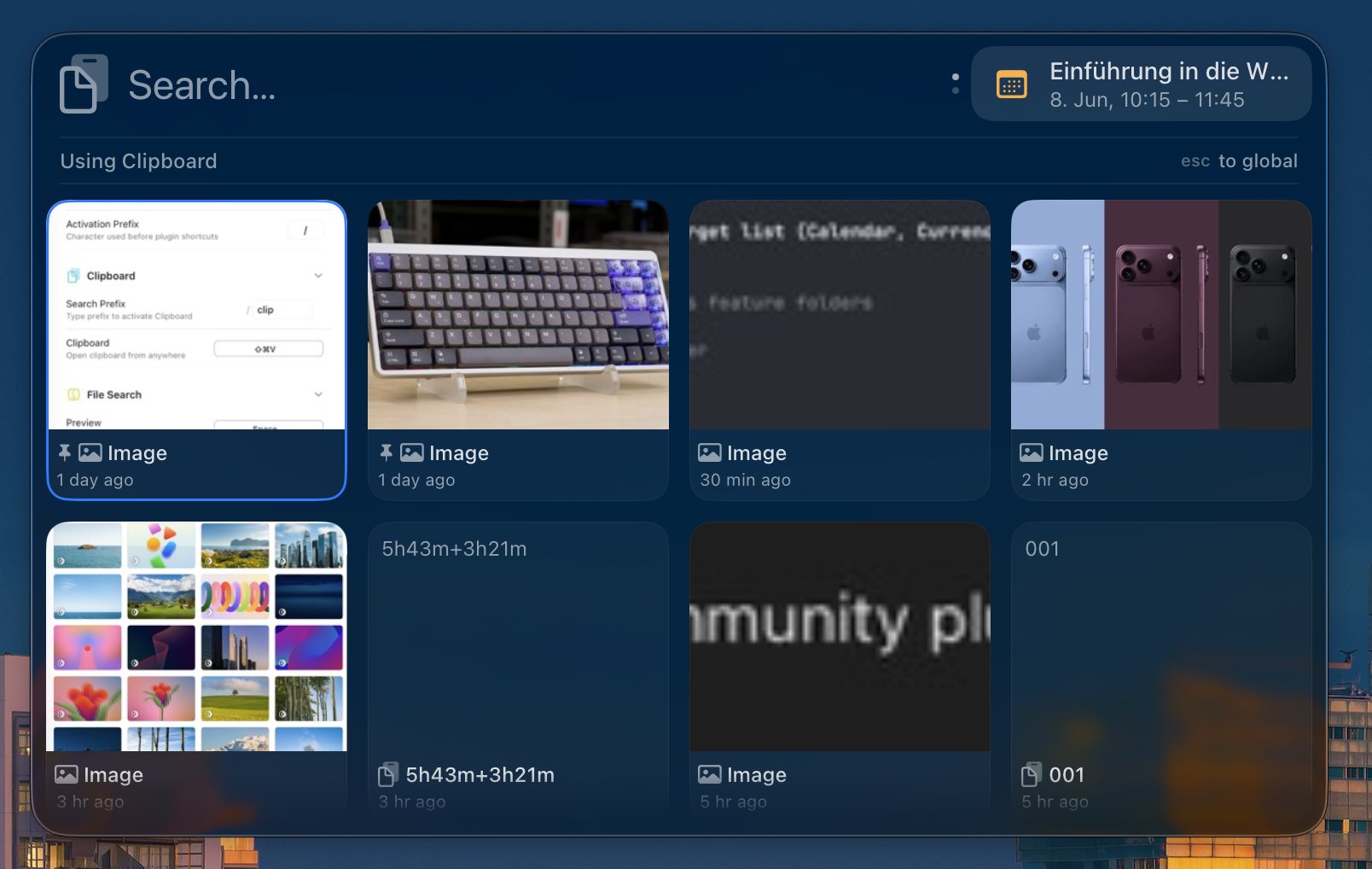
You can open the clipboard by typing clip or by using the default shortcut + ⇧ + V .
Notable Features
- Pinning: Pin important clipboard entries to keep them at the top. Pinned entries are not removed when the clipboard reaches its size limit, which is 200 items by default. Use + P to pin an entry.
- Multi-select and insert: Use + S to select multiple clipboard entries. Press to insert all selected entries into the previously focused window.
Added
- Plugins and Plugin SDK
- Built-in clipboard manager
- Gallery-style view for clipboard entries and plugins
- Drag and drop support for File Search results
- Web Search plugin
- AppleScript execution support, including support for plugins
- Weather plugin in Lookahead
Changed
- Completely redesigned the settings UI
- Improved Lookahead settings
- Resolved views, such as translations and conversions, are now shown inline alongside other results instead of taking over the whole view
- Rewrote AppIndex/FileIndex in Swift
Fixed
- License settings now show the masked email instead of
unknown - Fixed padding issues around the app
- Fixed incorrect icon sizes
Known Bugs
- The Kepler panel glass can sometimes appear dark when placed in front of a dark background, even if the system is in light mode. We are working on a fix.